Phone images come first, followed by desktop images. When a change is not shown, the item says why.
Known gaps: The combined-rule builder has not yet been checked in its scheduled run. Staff rule links, the ten-second field highlight, and Personal Save have not yet been viewed here. Some Edit views are unavailable in this preview.
Overdue row actions
Not shown yet: the updated issue row is being reviewed.
Issue row arrow
The arrow size changed in testing. Not shown here: the saved close-ups do not make that difference clear.
Filter arrow
The Dashboard severity filter uses a compact arrow. The before picture is the same on phone and desktop because this control looked the same at both widths.
Before


After


Dashboard heading
The Dashboard heading is larger after the change. The old phone heading was covered by the Menu control, so that baseline is omitted.
Before

After


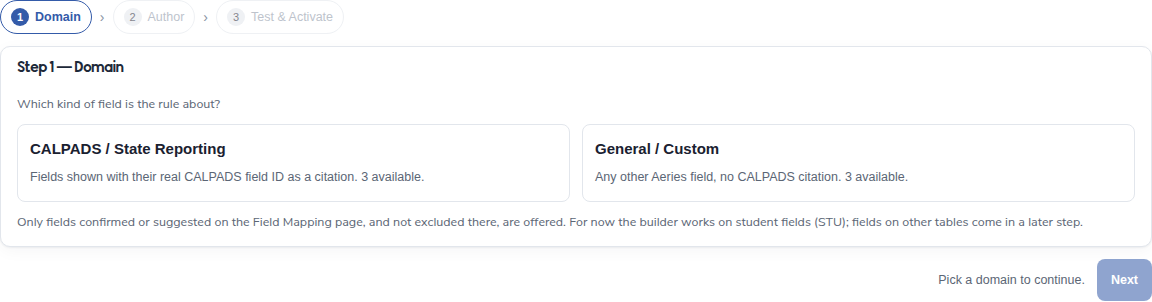
Three-step rule builder
The builder now shows Domain, Author, and Test & Activate instead of four steps. The earlier phone view is not shown.
Before
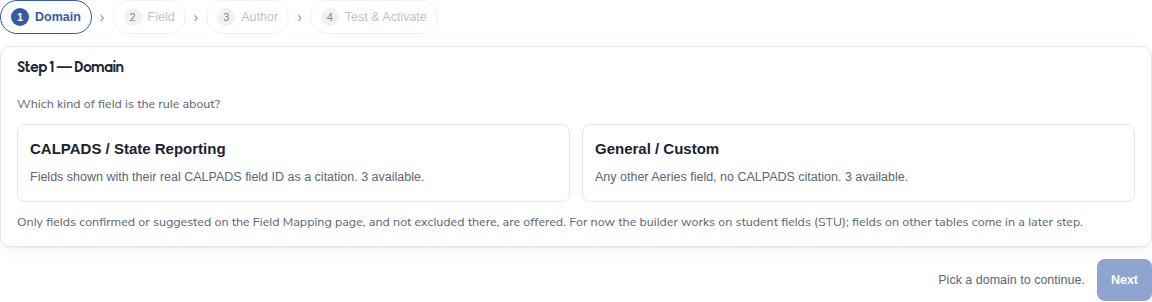
After
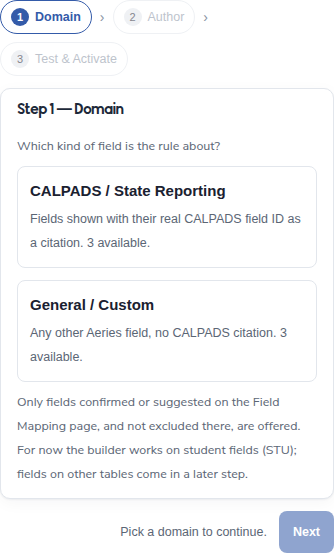
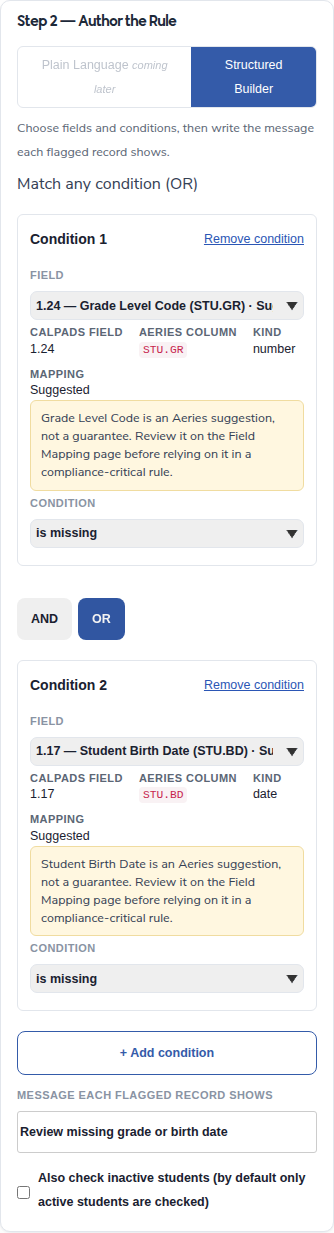
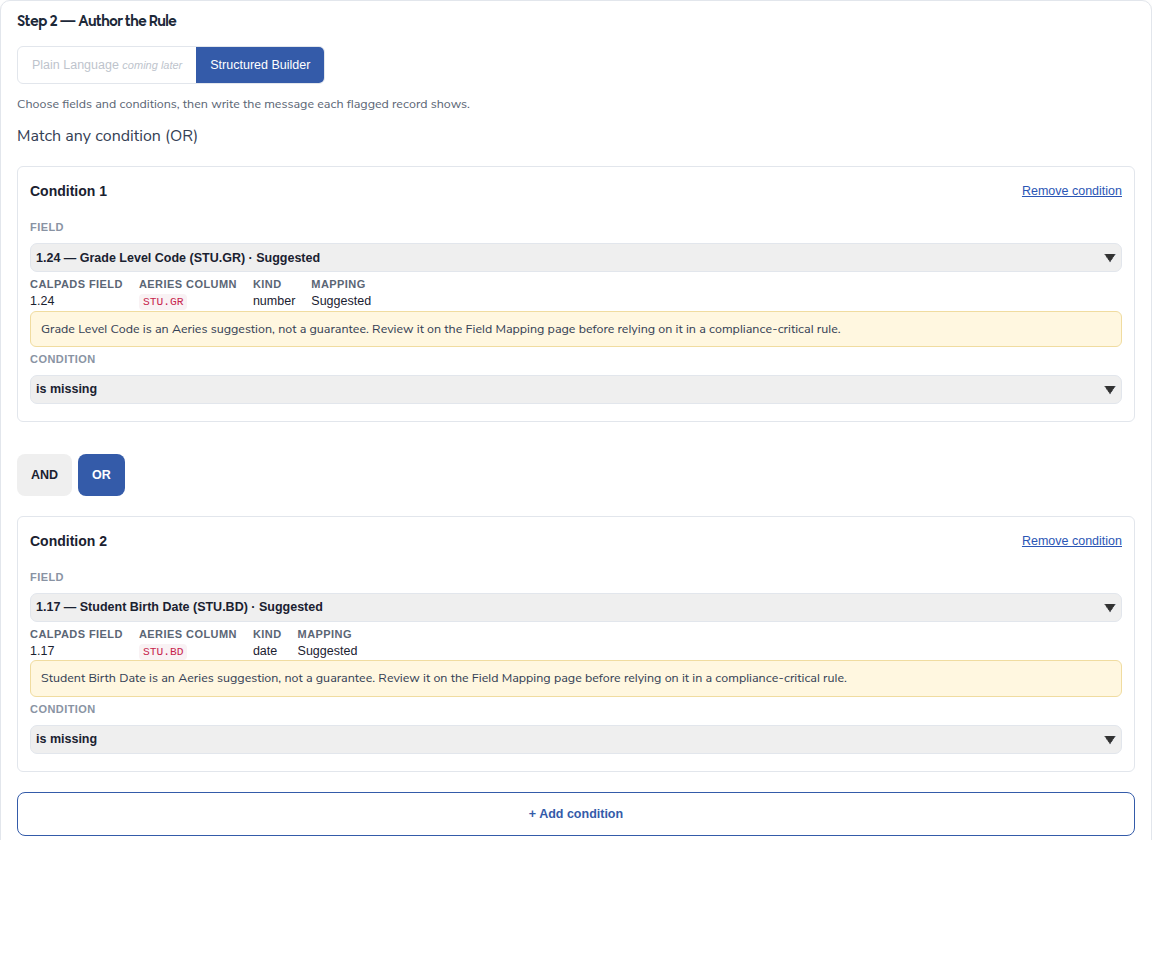
Combined conditions
The rule builder shows the OR choice and two conditions. The rule's overnight run has not yet been checked.
After
Assignee guidance
The separate Assignee Unavailable action was removed, with help beside Assignee. Not shown yet: a matching close-up of that change.
Validation arrow
The arrow on the Student validation panel is larger and opens with Enter or Space.
Before


After


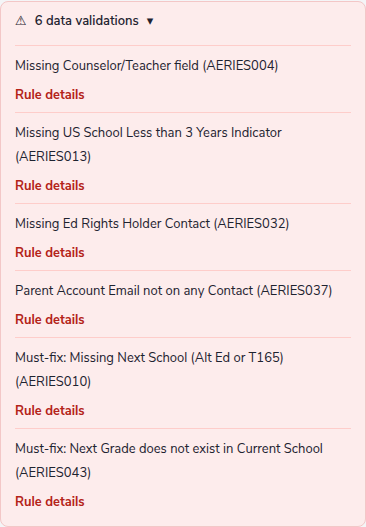
Rule codes
The codes became links in the same Student panel, and their format changed from AERIES004 to AERIES-004. These pictures do not show how the links look for staff or how to return to the Student page.
Before
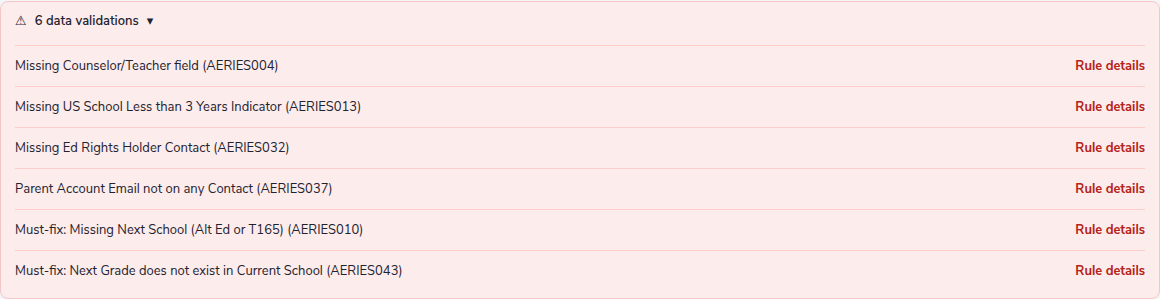
After
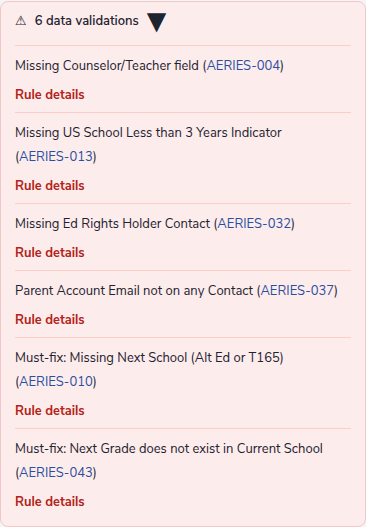
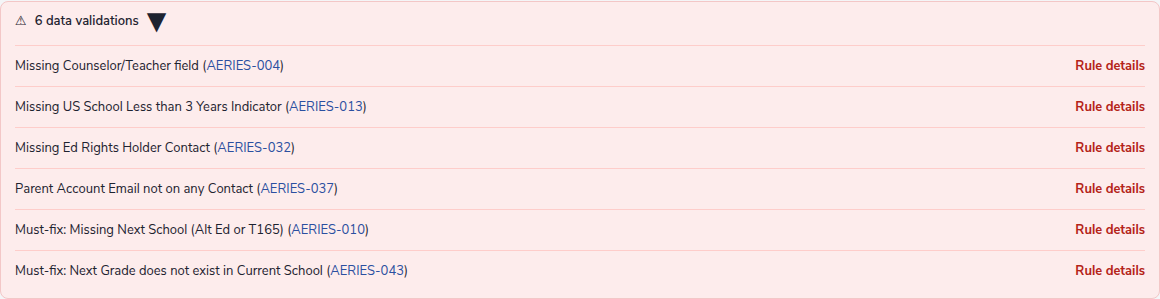
Go to field pulse
Not shown yet: this sample has no issue linked to a Student field, so the ten-second highlight could not be viewed.
Read-only fields in Edit
Not shown yet: Edit could not be opened in the review preview.
Birth Country row
Birth Country appears in the Personal view under SIS-209. Its Edit view is not shown yet.
Page-wide Edit
Not shown yet: a full Edit and Save walkthrough could not be opened in the review preview.
Personal view grid
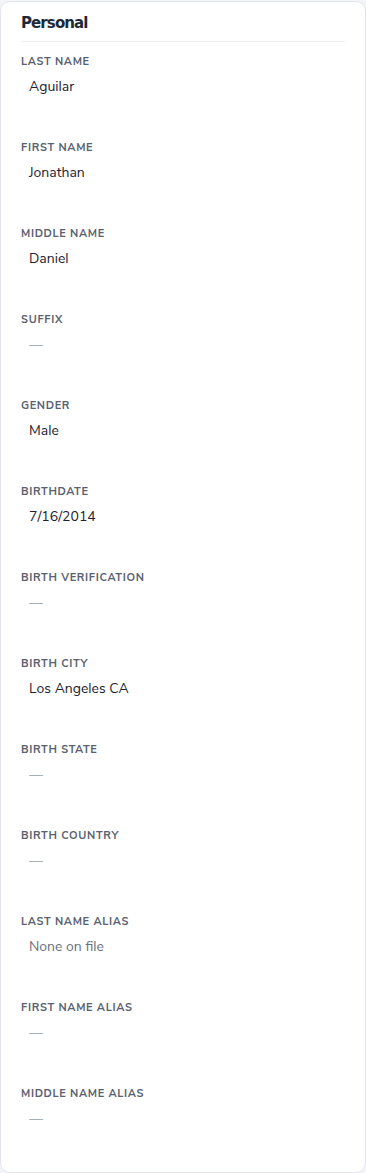
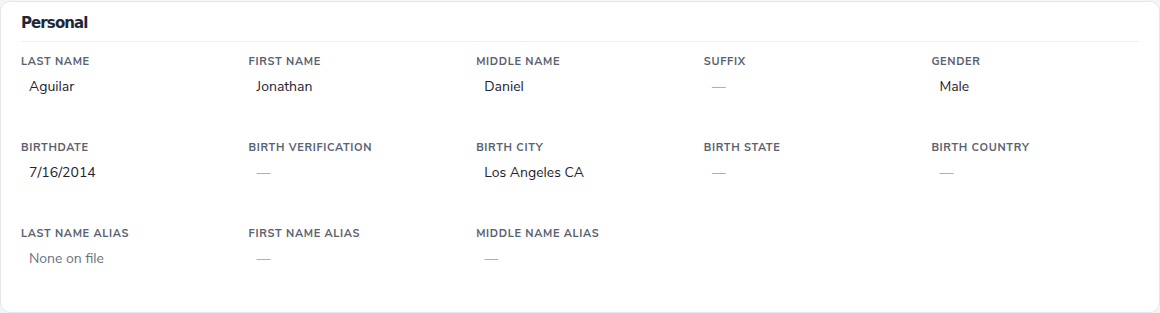
Desktop now uses five columns, but phone view becomes a long sparse single column with values far from labels. This needs a mobile spacing correction. The missing section Edit link moved to the page-level control.
Before
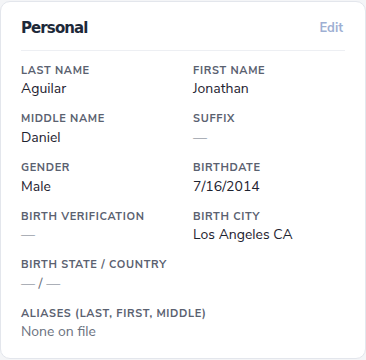

After